| Day 9 of Drawing Code Flappy Square | |
|---|---|

Step 1 was to add the name "Flappy Square" to the top corner.
|

Step 2 was to add the score to the other corner.
|

Step 3 was to test the game and make a few changes to make the game more challenging. I changed gravity and the height that the block jumps.
|

Step 4 was to change the colors of the things inside the game. I made the walls purple and the square blue.
|

Friday, 24 April 2020
Day 9 of Drawing Code

Day 8 of Drawing Code
| Day 8 of Drawing Code Flappy Square | |
|---|---|

Step 1 was to make sure the square wasn't going through any walls.
|

Step 2 was to space out and size the walls.
|

Step 3 was to space the distance between the two walls.
|
|
Wednesday, 22 April 2020
Day 7 of Drawing Code
| Day 7 of Drawing Code Flappy Square | |
|---|---|

Step 1 was to make the square fly by clicking the screen.
|

Step 2 was to add the boundary so the square stays above it.
|

Step 3 was to make the walls move in the background.
|

Step 4 was to create an infinite number of walls.
|
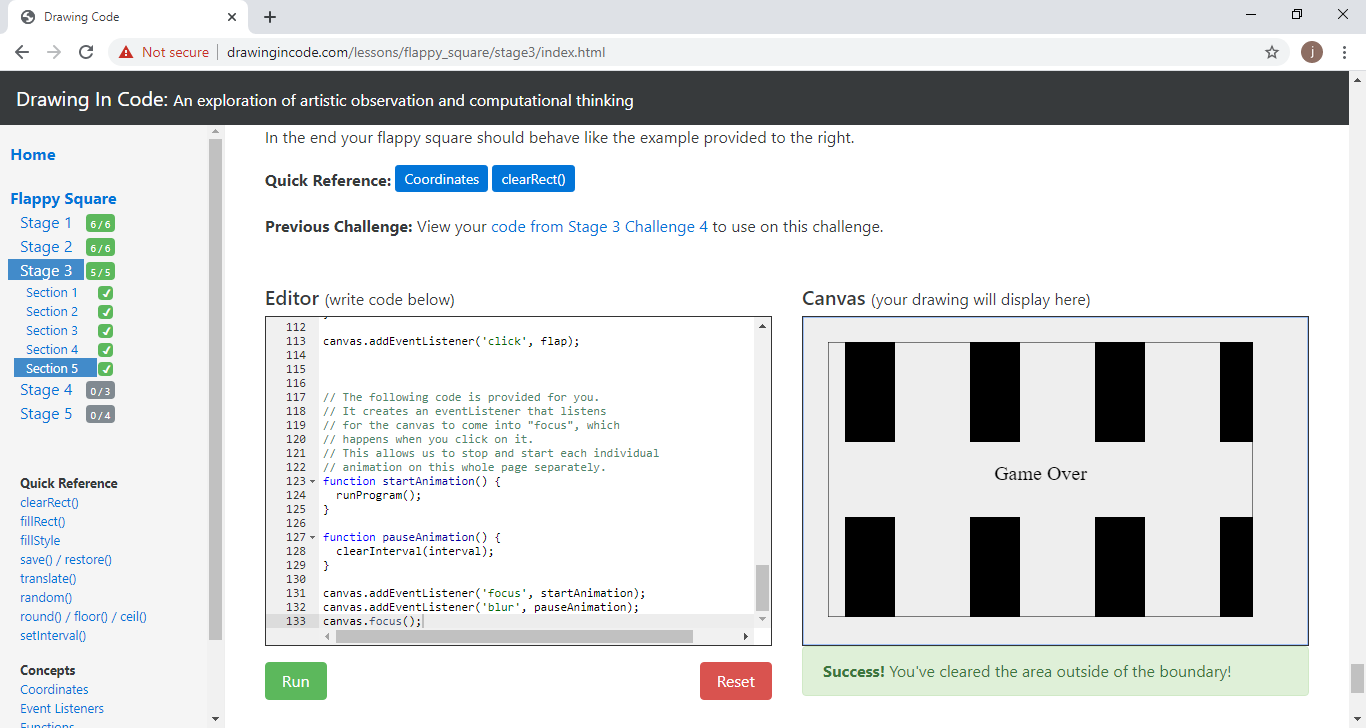
Step 5 was to make sure there was a border for the walls.
|
|
Tuesday, 21 April 2020
Day 6 of Drawing Code
| Day 6 of Drawing Code Flappy Square | |
|---|---|

Step 1 was to write the functions.
|

Step 2 was to add context.translate.
|

Step 3 was to use context.save and restore.
|

Step 4 was draw a series of frames.
|

Step 5 was to clear the canvas in between frames.
|

Step 6 was to give it more simulation of gravity.
|
Monday, 20 April 2020
Day 5 of Drawing Code
| Day 5 of Drawing Code Flappy Square | |
|---|---|

Step 1 was to learn how to use the coordinate system.
|

Step 2 was to draw the flappy square.
|

Step 3 was to make a border for the game using context.strokeRect.
|

Step 4 was to add the square and the boundary plus walls to avoid.
|

Step 5 was to add variables to the code.
|

Step 6 was to add a hash to the code.
|
| The main thing that confused me was with the wording on the third step about making the boundary. it confused me because instead of using (0,0) as the corner they wanted to use (25,25) which then messed up my numbers for the size of the boundary. | |
Friday, 17 April 2020
Day 4 of Drawing Code
| Day 4 of Drawing Code Basic Cityscape | |
|---|---|

Step 1 was to draw a row of random buildings.
|

Step 2 was to draw a row of different scale buildings.
|

Step 3 was to draw the buildings darker when the scale gets smaller.
|

Step 4 was to put together the buildings and cover the entire canvas.
|
| The shortcuts and steps were pretty easy to understand but the code is really finicky. Near the end there were a lot of lines of code but overall it wasn't extremely complicated. | |
Thursday, 16 April 2020
Day 3 of drawing code
| Day 3 of Drawing Code Basic Cityscape | |
|---|---|

Step one was to draw three different types of windows on the buildings.
|

Step two was to draw different types of roofs.
|

Step three was to put in a random integer for the floors.
|

Step four was to put in a code to make random buildings.
|
Subscribe to:
Posts (Atom)